Monitor Desktop
Monitor Desktop is a macOS app over Monitor. It shows grouped issues, their culprit lines, hot lines, host metrics and launches in a window. The data can come from this Mac, from any machine you reach over SSH, or from a Chalupa droplet.
Every answer comes from monitor itself. The app spawns monitor serve --stdio and speaks monitor.app.v1 over its stdin and stdout. Nothing listens on a port, and no account is involved. Issue data is never uploaded anywhere.
Download coming soon
A signed, notarized download of Monitor Desktop is coming soon. Until then you can build it from source. The CLI, TUI and MCP server stay the primary surfaces, and the app is one more client of the same contracts.
Install
Download: coming soon. Each release will publish a universal Monitor Desktop-<version>-universal.dmg for Apple silicon and Intel. It will be signed with a Developer ID and notarized, and it needs macOS 12 or later. Drag it to Applications.
The app bundles its own monitor binary, so it works without the CLI installed. If you also have the CLI from Homebrew, Doctor shows both binaries. Settings → Local monitor binary can point the app at a different one.
Build from source
Until the download is out, or to run the latest main:
git clone https://github.com/abdul-hamid-achik/monitor && cd monitor
go build -o bin/monitor ./cmd/monitor
cd desktop && bun install && bun run dev
Views
| View | What it does |
|---|---|
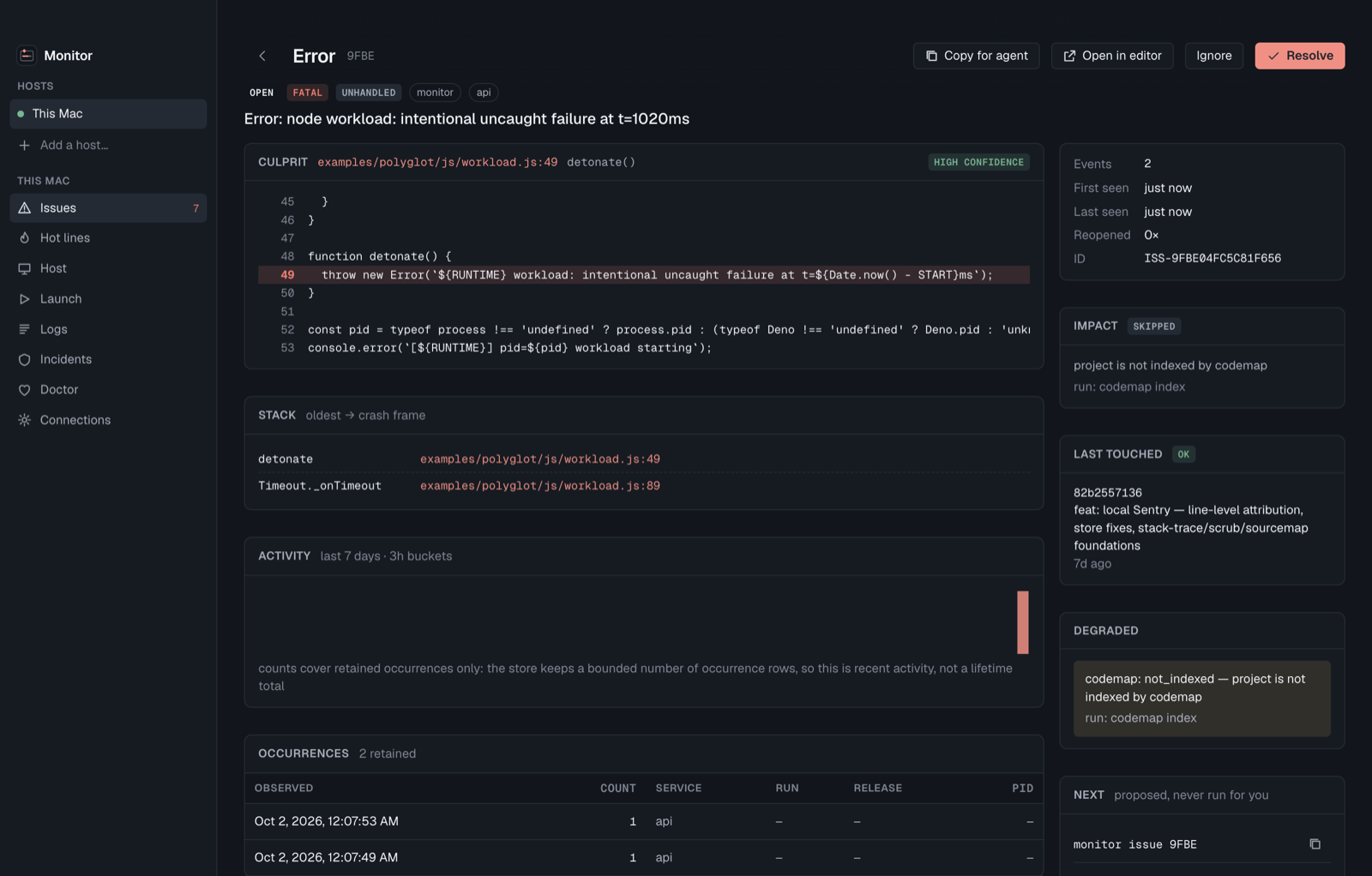
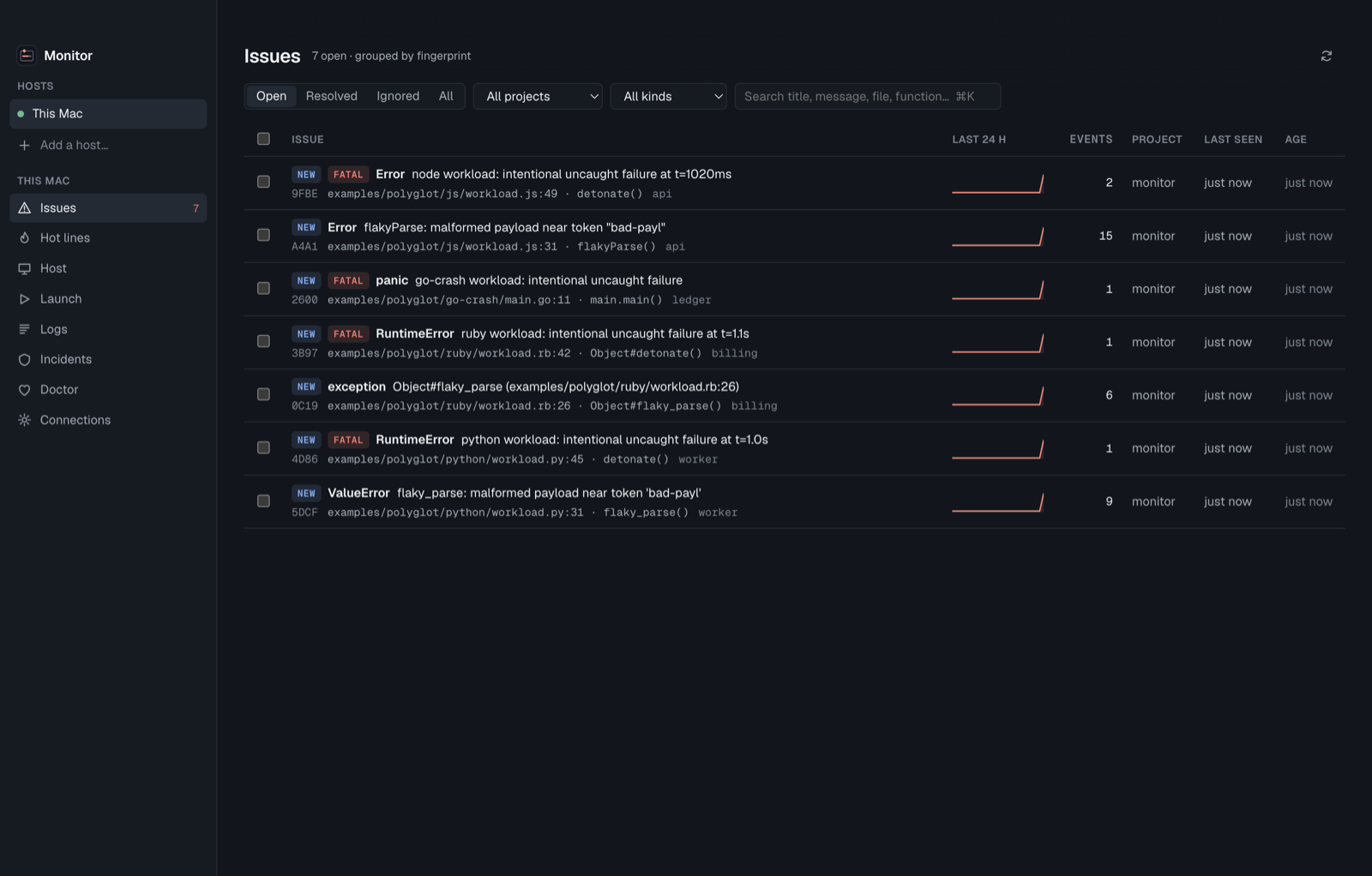
| Issues | The inbox. It shows grouped issues with filters (open, resolved, ignored, project, kind) and search over title, message, file and function. Each issue has a 24-hour sparkline. A row flashes live when a new occurrence lands. You can resolve, ignore or reopen in bulk. |
| Issue | The full issue_context.v1: the culprit line with its source, the chain of causes, the stack, codemap impact, the last commit that touched the line, honest degradations, 7-day activity and occurrences. Copy for agent copies the ≤4 KB brief as markdown. Open in editor works with VS Code, Cursor, Zed or JetBrains. For an issue recorded on an SSH host it opens through VS Code or Cursor Remote-SSH. |
| Hot lines | Which line inside a function burns CPU, holds heap or parks goroutines, with the issues raised on that line next to it. The source is a confirmed live capture of a process (Node/Deno started with --inspect, Go with net/http/pprof, otherwise macOS sample) or a saved .cpuprofile / pprof file. |
| Host | Live CPU, memory, network and disk I/O; per-core load; filesystems; the alerts raised by monitor watch's rules; and a process table with a confirmed kill. Protected processes are always refused. |
| Launch | Runs a command under monitor run --name. Its crashes become issues as they print, with no SDK. Optional switches turn on live hot lines (--inspect) and scanning of stdout loggers (--scan both). The command runs exactly as typed, without a shell. |
| Logs, Incidents, Doctor | The monitor logs capture store, the monitor.incident bundles archived in file.cheap, and ecosystem health. Doctor checks codemap and vecgrep against a project's own checkout. |
New and regressed issues also raise a macOS notification, one per issue per minute. Clicking it opens the issue.
Connections
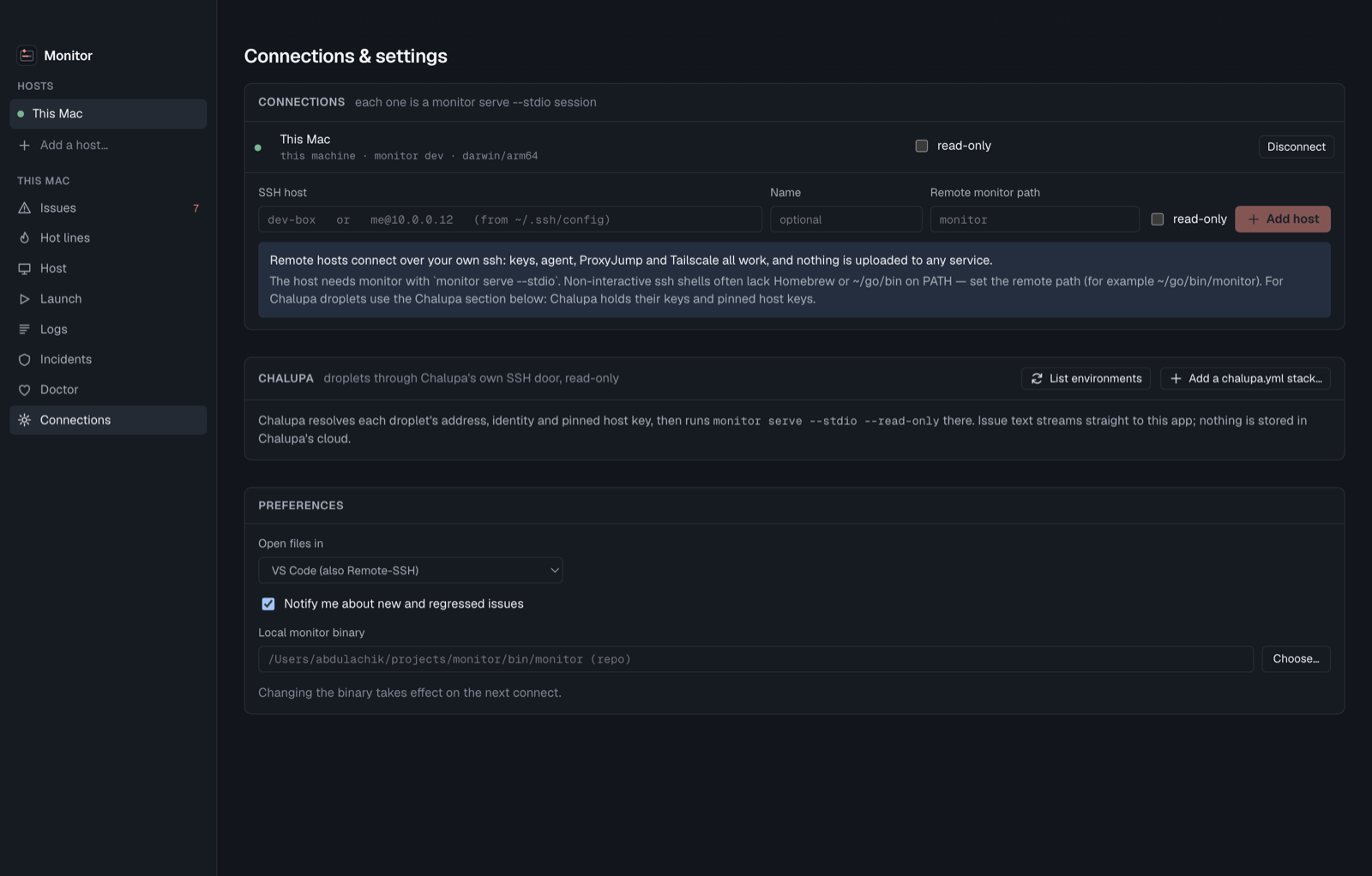
Each connection is one monitor serve --stdio session. Pick a connection in the sidebar and every view follows it.
- This Mac. The app spawns its bundled
monitor serve --stdio. - SSH host. Add an alias from
~/.ssh/configor auser@host. The app runsssh -T <host> <monitor> serve --stdiowith your own ssh config, agent and keys. It setsBatchMode=yes, so it never prompts and stores no credentials. ProxyJump and Tailscale work as usual. The host needs Monitor 2.2 or later. If a non-interactive shell can't find it onPATH, set the remote path, for example~/go/bin/monitor. - Chalupa. Under Chalupa → List environments, the app reads
chalupa ls --json. Add a chalupa.yml stack adds a BYOC stack. The app runschalupa monitor serve: Chalupa resolves the droplet's address, identity and pinned host key, then runsmonitor serve --stdio --read-onlythere. The bytes go droplet → ssh → this app, and nothing is stored in Chalupa's cloud. - Read-only. Any connection can be marked read-only, which starts the server with
--read-only. Chalupa connections are always read-only.
Safety
- The renderer is sandboxed. It runs with context isolation and a strict Content Security Policy. It reaches the app only through a fixed set of named functions, and the main process allowlists the protocol methods it forwards.
- Error and log text is never rendered as markup. It comes from the monitored process, so the server scrubs secret-shaped values and the app shows the text as plain text.
- Destructive actions are confirmed. Kill and live capture go through a dialog and
confirm: true. Monitor refuses protected and system processes whatever you confirm. - Inputs can't be read as options. SSH hosts and remote paths are validated so they can never be read as ssh options or shell syntax. Launches split the command into arguments without a shell.
- Inspectors are shown by port. Monitor never sends an inspector's
ws://URL to the app. - The same rules as the CLI and MCP apply: no injection into running processes, propose-only next steps, and telemetry that never carries issue text. See Process Safety.